 Focus Posture · for iPhone
A focus timer that notices you slouching
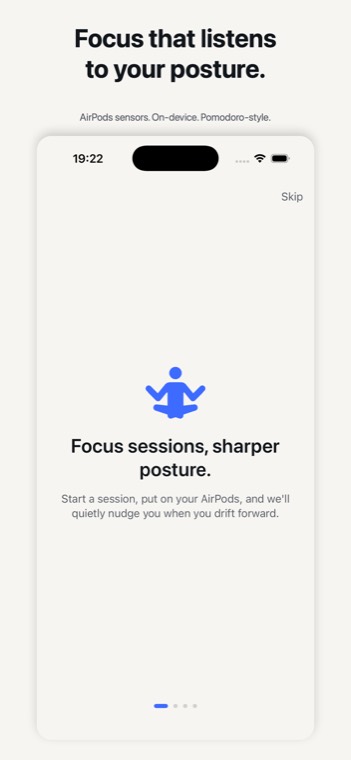
Start a session and put your AirPods in. Focus Posture reads their motion sensors on the iPhone and, when your head drifts forward and stays there, sends one calm haptic — not an alarm, not a guilt trip.
How a session runs
- Start a sessionAnywhere from 10 to 90 minutes; 25 by default, the classic pomodoro.
- Calibrate for three secondsSit the way you mean to, and that becomes your baseline.
- WorkHead tilt is read on the iPhone in real time. Drift past your threshold for long enough and a gentle haptic reminds you to sit up.
- ReviewFinish, look over the session, and save it to Apple Health as mindful minutes if you choose.
What it looks like
Which AirPods work
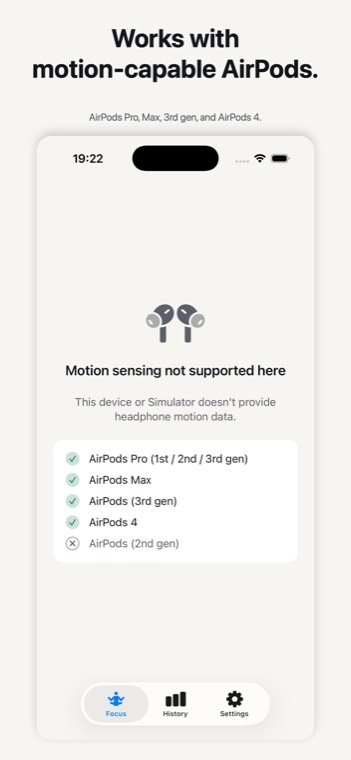
Posture sensing needs AirPods with motion sensors. From the app's own compatibility list: AirPods Pro (1st, 2nd and 3rd generation), AirPods Max, AirPods (3rd generation) and AirPods 4. AirPods (2nd generation) do not have them.
Pomodoro, with your posture in it
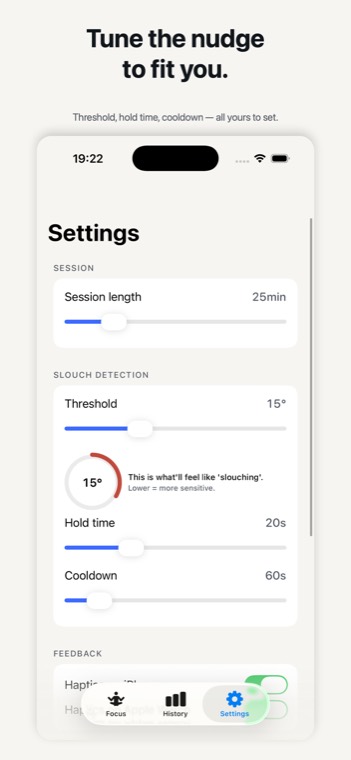
The pomodoro technique is a timer and a promise: work on one thing until it rings, then take a short break. Focus Posture keeps the timer and adds the thing that goes wrong during a long focus block — your head creeping towards the screen. You can tune how far counts as slouching, how long you have to stay there before it nudges you, and how long it waits before nudging again.
Free
Focus Posture is free, with no purchases inside and no account.
Honest about the limits
- A wellness aid, not a medical device. It does not diagnose or treat anything. For persistent neck or back pain, see a professional.
- Only with supported AirPods. Without motion-capable AirPods it is a plain focus timer.
- Only during a session. Motion is read while a session you started is running, and stays on the iPhone.
Last reviewed 22 September 2026