 WhisperNote · for iPhone
Notes you can whisper when everyone is asleep
WhisperNote listens for the particular sound of a whisper — quiet, breathy, mostly high frequencies — and turns what you whisper into a text note on the iPhone. A normal voice, the fan and the traffic outside are ignored.
How it works
- Tap to start listeningThe microphone is watched, not saved, until it hears a whisper.
- WhisperTranscription starts on its own, and pauses when you go quiet.
- Read it backEach note is the text of what you whispered, transcribed on the iPhone. Rename it or delete it.
What it looks like
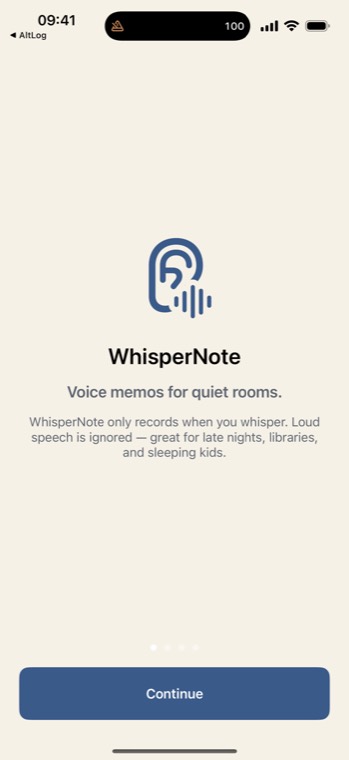
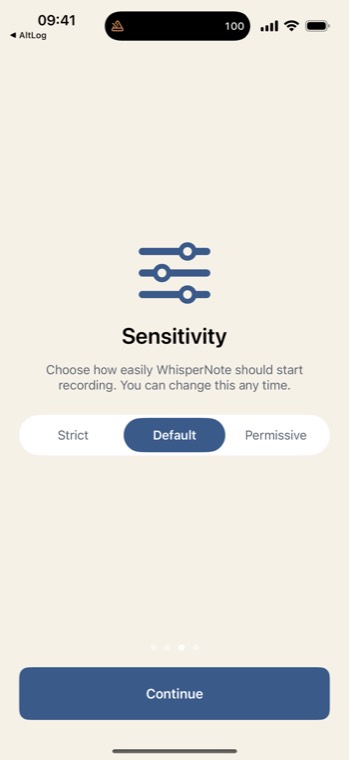
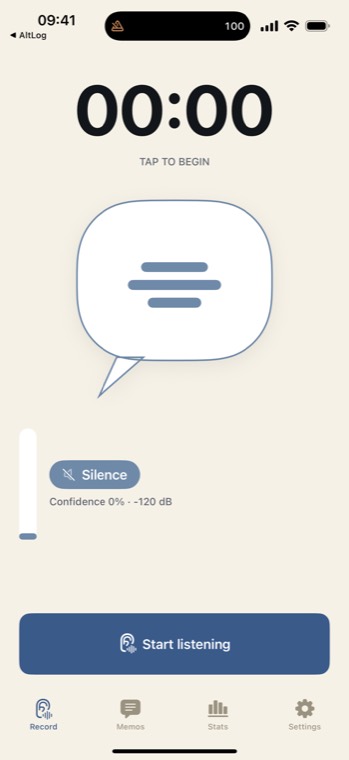
Three sensitivity modes
| Mode | Use it when |
|---|---|
| Strict | The room is silent. Only the quietest whispers start a note. |
| Default | A typical quiet room, tuned for the iPhone's bottom microphone. |
| Permissive | There is a fan or a hum. It starts sooner. |
When whispering a note beats typing one
Late at night next to a sleeping partner or a baby. In a library, a shared office or a hospital waiting room. On a train. Anywhere speaking a note aloud would feel rude, and typing it would mean waking up properly.
Honest about the limits
- It keeps the words, not the sound. The audio is transcribed on the iPhone and never saved, so there is nothing to play back. If you need the recording itself, use the Voice Memos app.
- It is meant to ignore a normal voice. Speak up and it stays quiet — by design.
- Transcription happens on the iPhone. It uses Apple's on-device speech recognition, which is not available for every language on every phone.
- No account, no cloud. Your notes stay on your iPhone.
Last reviewed 22 September 2026