Down payment savings calculator
Type the price of the home and the percentage you want to put down. You get the down payment, then how much to save each time to have it by your date, or the day you get there at an amount you can save. This page works out the saving only: no loan, no monthly mortgage payment, and no word on how much to put down.
An example. A home priced at $350,000 with 20% down is a down payment of $70,000. With $15,000 already saved, having it by March 1, 2029 comes to $1,896.56 every month, with the first deposit on November 1, 2026.
How much do I save for the down payment?
The calculator needs JavaScript. The example above shows the same arithmetic.
The numbers in the boxes are an example, not a suggestion. No interest is counted — here is what that means.
How the down payment is worked out
The down payment is the price multiplied by the percentage, divided by one hundred, and kept to the cent. When the result has a fraction of a cent, half a cent and more rounds up. A price of $123,456.78 at 3.5% comes to $4,320.9873, which is $4,320.99. A price of $250,000.50 at 5% comes to $12,500.025, exactly half a cent over, which is $12,500.03.
On this page the down payment is simply that: the part of the price you put in yourself. The percentage is the one you type, with up to two decimals; an amount typed with more than two decimals is rounded to the cent.
How the saving is worked out
- What is left is the down payment minus what you have already saved.
- Reach it by a date: what is left divided by the number of deposit days from your first deposit to that date, both days counted, rounded up to the cent. The first deposit sets the rhythm: the same weekday for every week and every two weeks, the same day of the month for every month.
- Save a set amount: what is left divided by the amount you can put in, rounded up, is the number of deposits; the last one lands on the day you get there. A plan that would need more than 36,500 deposits gets no date.
- A first deposit date that has passed adds no deposits: only the deposit days from today on are counted.
This is the arithmetic of the savings goal calculator and of how long will it take to save, with the price and the percentage in front of it. It is the way the Pennyjar app works out a plan.
The same price at different percentages
The percentage is yours to choose. The table does not rank them: it shows what each one asks of you for the same price, the same savings and the same date.
| Percent of the price | Down payment | Still to save | Each month |
|---|---|---|---|
| 5% | $17,500 | $2,500 | $86.21 |
| 10% | $35,000 | $20,000 | $689.66 |
| 15% | $52,500 | $37,500 | $1,293.11 |
| 20% | $70,000 | $55,000 | $1,896.56 |
| 25% | $87,500 | $72,500 | $2,500.00 |
How long it takes at different amounts
The other question: you know what you can put in each month, and you want the day. No interest is counted: if your savings earn interest, you will get there sooner than these days.
| Put in each month | Deposits | About | Reached on |
|---|---|---|---|
| $500 | 110 | 9 years 2 months | Dec 1, 2035 |
| $1,000 | 55 | 4 years 7 months | May 1, 2031 |
| $1,500 | 37 | 3 years 1 month | Nov 1, 2029 |
| $2,000 | 28 | 2 years 4 months | Feb 1, 2029 |
| $3,000 | 19 | 1 year 7 months | May 1, 2028 |
With $1,500 every month and $15,000 already saved, the $70,000 down payment takes 37 deposits, and you get there on November 1, 2029. The calculator above does the same for your own numbers.
What this calculator does not do
- It does not work out a loan. No monthly mortgage payment, no loan interest, no term. It works out how to save a sum, nothing else.
- It does not know any lender's rules. Ask your lender about yours.
- It does not say how much to put down. The percentage you type is the percentage it uses.
- It counts only the down payment. To save for other costs as well, use the savings goal calculator with the total as the target.
- It adds no interest to what you save, and no fees or taxes.
Questions
How much do I need to save for a down payment?
That depends on the price and on the percentage you choose. The calculator turns a percentage into an amount, and the amount into a saving plan. It does not tell you which percentage to choose.
How long will it take to save a down payment?
It depends on the amount and on how much you can put in each time. Choose Save a set amount, type what you can put in, and the calculator gives the number of deposits and the day you get there. The table above shows examples.
Can I use it for a car, or for anything else with a down payment?
Yes. The arithmetic is the same whatever the money is for: type the price and the percentage, then read the plan.
Does it work out the monthly payment on a loan?
No. It works out how to save, not how to borrow.
What if I already have some of it saved?
Type it in Already saved. The plan starts from what is left, and it starts again from what is left whenever you change the box.
This arithmetic in Pennyjar
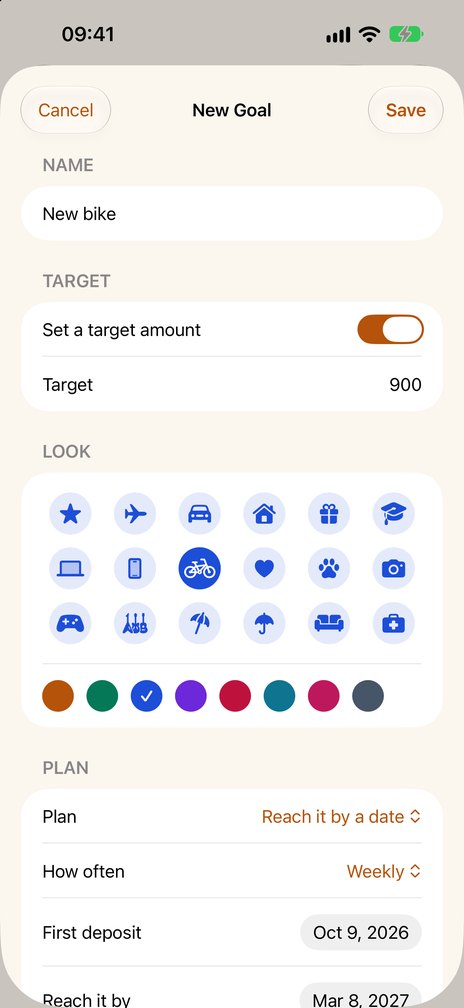
Pennyjar is an iPhone and iPad app that gives every savings goal its own jar on its Goals tab; the 52 week and 100 envelope challenges and an emergency fund counted in months are two tabs beside it. Make the down payment a goal: type its amount as the target, choose "Reach it by a date" or "Save a set amount", a frequency and the date of the first deposit, and the goal says how much to put in each time or when you get there. It starts again from what is still missing after every deposit, and it can send a reminder on each deposit day, at the time you choose. Reminders are set again each time you open it.
It is a record: it never holds or moves money and it calculates no interest. Two goals at a time are free; Pennyjar Pro, one payment for the whole app, removes the limit.
Coming soon to the App Store
More from Pennyjar
- Savings goal calculatorhow much to save each week or month to reach a date
- How long will it take to save?at the amount you can put in each time
- Savings tracker spreadsheetan Excel, Numbers and Google Sheets template
- Printable savings trackerboxes to color in, or a thermometer
- The Pennyjar appa jar for every savings goal
More free savings tools
Last reviewed 8 October 2026