 Pennyjar · the Challenges part · for iPhone and iPad
The 52-week money challenge, marked off week by week
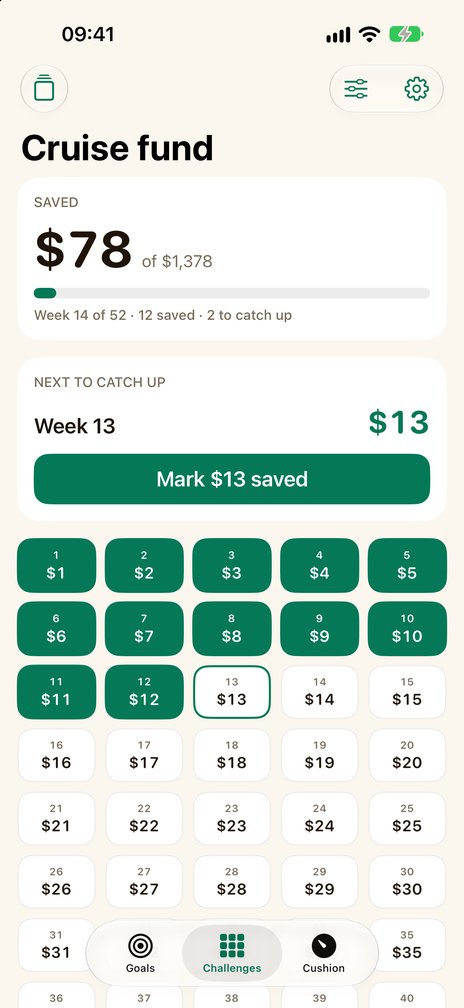
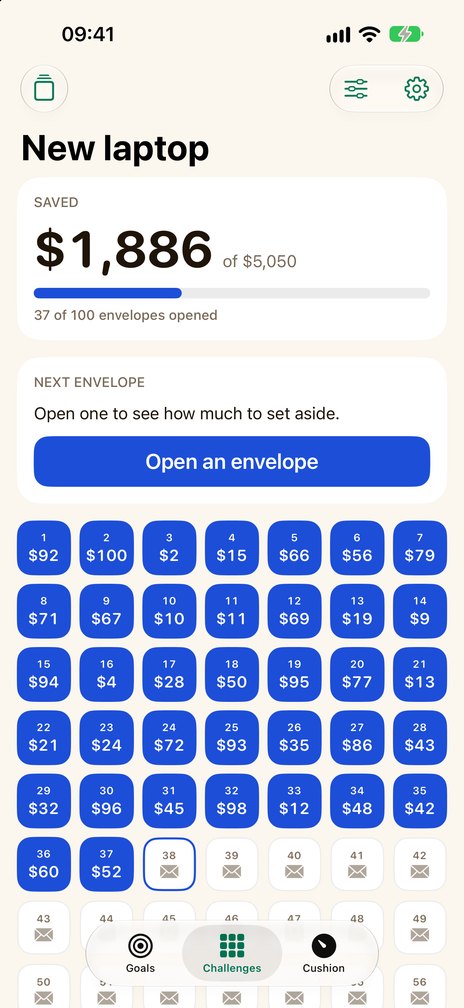
The Challenges tab of Pennyjar keeps two savings challenges for you: 52 weeks and 100 envelopes. Tap a week to mark it saved, see which week you are in and how many you have to catch up on. The same app also keeps a jar for every savings goal and your emergency fund in months; see all of Pennyjar.
Coming soon to the App Store
Try the 52 weeks
A sketch of the idea. Nothing is saved.SAVED
$78 of $1,378
12 of 52 weeks marked
NEXT STEP
Week 13$13
Week N is N times the starting amount. Tap a week to mark it saved — in any order — or tap it again to take the mark off, and watch the total and the next step change.
What the Challenges part does
52 weeks
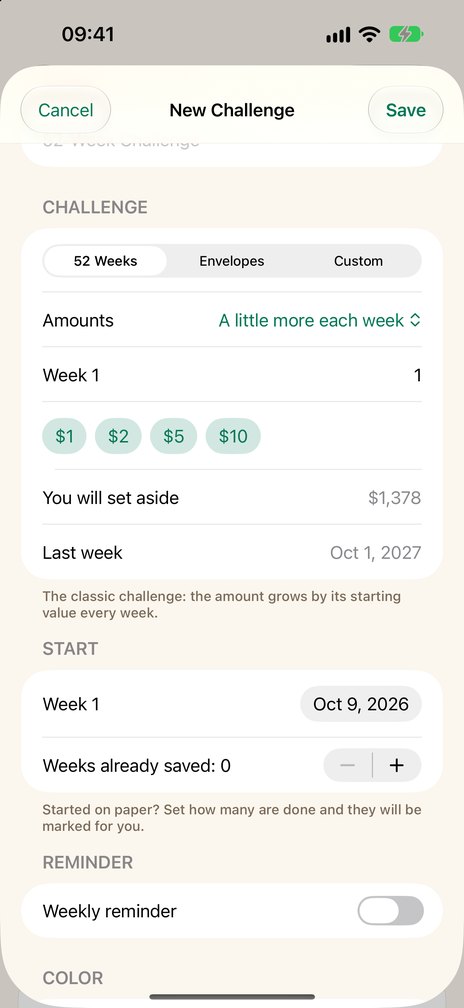
A little more each week: start at $1 and week 52 is $52, $1,378 in all. Or start with the largest amount, or save the same amount every week.
100 envelopes
100 envelopes that hold 1 to 100 times your smallest amount, opened in any order. With $1 as the smallest they add up to $5,050.
Mark any week
Tap a week to mark it saved. See which week you are in and how many you have to catch up on.
Started on paper?
Say how many are done and they are marked for you.
One total with your goals
Pennyjar's total set aside adds up what your goals and your challenges hold, on one card.
A weekly reminder
On the day and at the time you choose. Reminders are set again each time you open Pennyjar, and they arrive only if notifications are allowed.
Free, and what Pro adds
Challenges are one of the three parts of Pennyjar, and Pennyjar Pro is one purchase for all of them.
Free
- One challenge at a time, with the 52 week and the 100 envelope challenge
- Two goals or jars at a time, with everything above
- In the Cushion: your numbers, the months your savings would last, your next step and what is left free each month
Pennyjar Pro — one payment, no subscription
- Goals and jars: as many as you like at the same time
- Challenges: several at the same time, and custom challenges of 2 to 156 weeks with your own amounts
- Cushion: the whole plan, step by step with dates; with two or more debts and money left free each month, avalanche and snowball compared on your own debts; the history of your runway
- CSV export of every goal deposit and withdrawal, and of every challenge deposit
Coming soon to the App Store
What it does not do
- It is a record, not a bank. Pennyjar never holds or moves money, has no bank connection and is not financial advice. You set the money aside yourself and mark that you did.
- It counts in weeks. The printable monthly, biweekly and penny-a-day charts on this site are on paper: see biweekly and monthly pay.
- No sync between devices. Your challenges are stored on your device.
Printable charts and calculators
Free tools that run in your browser, for the Challenges part of Pennyjar. Their totals and weekly dates are worked out the way the app works them out, and each one prints on a single page.
- Money saving challenge printablesevery PDF side by side, and which one fits
- 52-week money challengeprintable chart and PDF, any starting amount
- 100 envelope challengehow it works, the total, a printable tracker
- Biweekly savings challengecharts for 26 paychecks
- Monthly savings challengetwelve deposits, for any target
- Penny challenge (1p a day)365 days, month by month
What it looks like
Where your data lives
No account, no ads. Your goals, challenges and numbers stay on your device; purchases go through the App Store and are verified by RevenueCat — see the privacy policy.
The other two parts of Pennyjar
- Pennyjar: the whole appGoals, Challenges and Cushion, one record and one purchase
- Savings goal calculatorGoals part: how much to put aside each week or month
- Printable savings goal trackerGoals part: boxes to color in, or a thermometer
- Emergency fund calculatorCushion part: how many months of spending your savings cover
Last reviewed 8 October 2026