Debt payoff calculator
List your debts and what you can add each month. See how long three ways of paying take and what each costs in interest — then take the month-by-month schedule as a table, a CSV file for a spreadsheet, or a printout.
Your debts
The calculator needs JavaScript on this page. How it counts is explained below, with an example worked out.
Month by month
The balance, the APR and the payment of each debt: use what your statement shows. The numbers in the boxes are an example — "Fill in the example" brings it back and "Clear" empties the list. Debts with a balance of zero count for nothing. To work on paper, there is a printable debt payoff tracker; to work in cells, a debt payoff spreadsheet with the same arithmetic.
How the three ways are counted
The calculation goes month by month, the way Pennyjar's own plan does:
- Interest first. Each open debt grows by its balance × APR ÷ 12, with the APR as a fraction: 24% is 0.24.
- Scheduled payments. Every debt gets the payment you entered for it, or its whole balance if that is smaller.
- The rest goes in order. The extra amount, and the payment of any debt that has been cleared, go to the debt the order points at. Highest rate first (avalanche) picks the highest APR, and the smaller balance on a tie. Smallest balance first (snowball) picks the smallest balance, and the higher APR on a tie.
- Scheduled payments only is each debt on its own payment, alone: nothing rolls from a cleared debt to the next one, and the extra amount is not used.
A balance under 50 cents counts as paid. A debt still open after 600 months — 50 years — is shown as not paid off, in one of two ways. "Not paid off in 50 years at these payments" means the balance does fall, only too slowly to finish in time; "Not paid off: the payments do not cover the interest" means it does not fall at all.
A payment that does not cover the interest
If the monthly payment is no more than one month of interest, the balance never shrinks on that payment, and the calculator warns about it above the results. The extra amount can still clear it in the two orders; on scheduled payments only it is not paid off.
An example
A store card of $900 at 12% with a payment of $45, a credit card of $4,200 at 24% with $120 and a car loan of $12,600 at 7.5% with $330, and $300 a month on top. Scheduled payments only take 61 months and cost $5,046 in interest. Highest rate first takes 25 months and $1,871; smallest balance first takes 25 months and $1,954.
| Way of paying | Debt-free in | Interest paid |
|---|---|---|
| Scheduled payments only | 61 months | $5,046 |
| Highest rate first (avalanche) | 25 months | $1,871 |
| Smallest balance first (snowball) | 25 months | $1,954 |
On these numbers, highest rate first pays $82 less interest than smallest balance first, and both finish in the same month. The first debt is cleared in month 12 by highest rate first (Credit card) and in month 3 by smallest balance first (Store card).
The two orders are compared in more detail on the snowball vs avalanche page.
Debt payoff schedule: a table, a CSV file or a printout
- The table above lists every month: the interest added, what was paid, what is left in total and what is left on each debt.
- The CSV file is plain text with commas between the values and a header row. Excel, Numbers and Google Sheets open it. It holds the numbers shown in the table — the paid and the left amount of each debt — and no formulas, so it is not an Excel template, just the schedule for the debts you typed.
- The printout keeps the summary and the schedule and leaves the form out, so it prints as a table: the months down the side and the balances across, a printable debt payoff chart.
The calculation runs in your browser. The page does not send what you type anywhere, and the CSV file is made on your device.
What this does not count
Fees, a rate that changes, new charges on a card, and the way a lender counts interest by the day. Interest here is added once a month at the APR divided by twelve, so a lender's own schedule can differ from this one. This is a calculation from the numbers you type, not financial advice.
Debts in Pennyjar
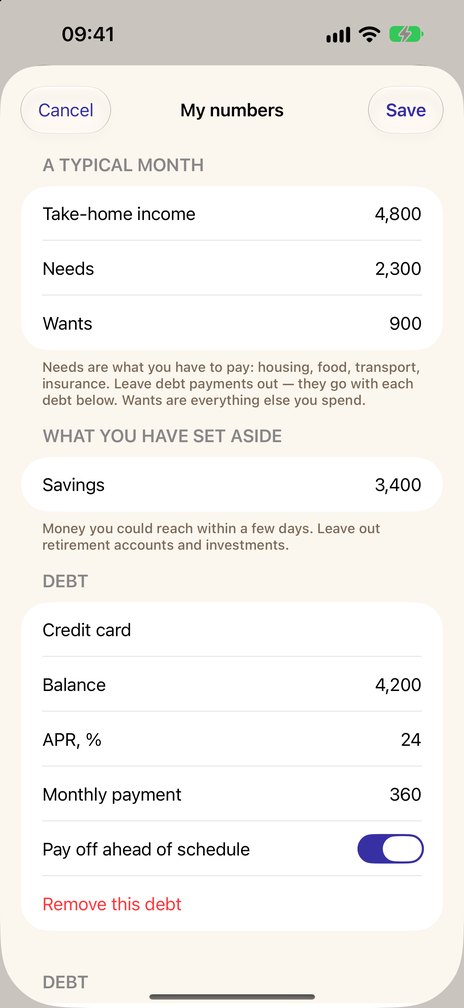
Pennyjar is an iPhone and iPad app with three tabs: Goals, Challenges and Cushion. On the Cushion tab you type in what you owe, and the plan names the debt to start with when a debt is your next step. With Pennyjar Pro (one payment for the whole app, no subscription), two or more debts and money left free each month, avalanche and snowball are compared on your own debts: the comparison appears when at least two debts are in it and some money is left each month. The calculator on this page runs the same kind of comparison in your browser.
Coming soon to the App Store
More calculators
- Snowball vs avalanchemonths and interest for each
- Which debt first, or save first?the whole ladder for your numbers
- Emergency fund calculatorwhat 1, 3 and 6 months of spending come to
- How long will my savings last?months, and the month the money runs out
- Printable debt payoff trackera debt list and a payoff log, as PDFs
- Debt payoff spreadsheetan .xlsx file with the formulas in it
A calculation from your numbers and the rules on this page. It is not financial advice, and it says nothing about investing.
More free savings tools
Last reviewed 8 October 2026