 Pennyjar · the Cushion part · for iPhone and iPad
How many months would your savings last — and what comes next?
Type a typical month, your savings and your debts. The Cushion tab of Pennyjar shows your runway in months of spending and one next step, taken from a fixed ladder whose rules are written out. The same app also keeps a jar for every savings goal and the 52 week and 100 envelope challenges; see all of Pennyjar.
Coming soon to the App Store
Your runway
The runway needs JavaScript on this page. It is your savings divided by what you spend in a month.
Example numbers: replace them with yours. Spending is needs, wants and the monthly payments on your debts together. Leave retirement accounts and investments out of savings.
How the runway is counted
- Savings ÷ what you spend in a month. Spending is needs plus wants plus the monthly payments on your debts. The calculator on this page writes the answer rounded down — one decimal under ten months, whole months above — so it never claims a month that is not covered yet. A runway of 0.99 reads 0.9.
- The scale has marks at 1 month, 3 months and your target. The bar is red under one month, yellow short of the target, and green once the target is covered.
- The target is yours. Set it anywhere from 1 to 12 months.
The next step, from a fixed ladder
The Cushion tab walks down the same ladder for everyone and shows the first step that is not done yet, with its amount and how long it takes on the money left each month. The order is fixed; the numbers in it come from your month and the rules below.
Get your month into the black
You bring in more than you spend. Until you do, there is no money left over, and no other step gets a date.
Clear debt at 36% APR or more
These come first of all, ahead of any reserve, and your savings go into them too.
Build a one-month reserve
One month of needs and debt payments, set aside before the expensive debts get any of your savings.
Pay off debt above 10% APR
Savings above that one-month reserve go into these debts, together with what is left of the month.
Grow your cushion to 3 months
A cushion of 3 months of everything you spend: needs, wants and debt payments.
Pay off debt that costs more than your savings earn
Debts that cost more than your savings earn (0% to begin with), up to the 10% line. Savings above the cushion of 3 months go into them.
Grow your cushion to 6 months
Your own target, from 1 to 12 months of spending: 6 until you change it. Listed only when the target is above 3 months.
Your foundation is in place
What is left stays on its schedule: debts that cost no more than your savings earn, and any you switched off. "In place" means the steps above are done under these rules; the plan says nothing about retirement accounts or insurance cover, and does not count changes in income.
Dates assume your income and spending stay as they are and all your free money goes into the current step. The calculators below run this same ladder on numbers you type.
The rules, and where they come from
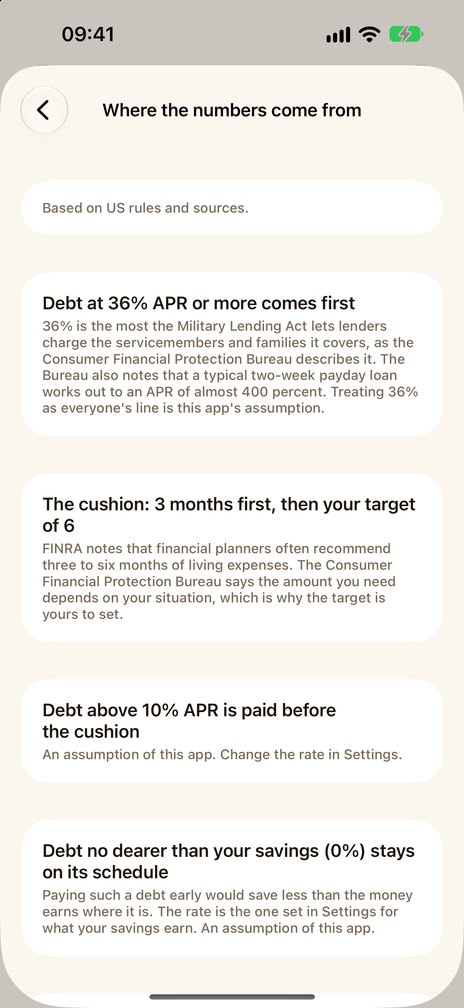
The numbers the ladder works with are explained in the app under Settings → Cushion rules → "Where the numbers come from": each has its source or the word "assumption". The short version:
- 36% APR or more comes first. 36% is the most the Military Lending Act lets lenders charge the servicemembers and families it covers, as the Consumer Financial Protection Bureau describes it. Treating 36% as everyone's line is this app's assumption.
- Three months first, then your target. FINRA notes that financial planners often recommend three to six months of living expenses. The Consumer Financial Protection Bureau says the amount you need depends on your situation, which is why the target is yours to set.
- Your target is yours. In Settings, under Cushion rules, set it anywhere from 1 to 12 months. The default is 6.
- Five more lines are the app's own assumptions: debt above 10% APR is paid before the cushion; debt no dearer than your savings earn stays on its schedule; a one-month reserve comes before any debt except the most expensive; under one month of spending is the red zone; a debt not paid off within 50 years counts as never paid off. The calculators on this page let you change the 10% line and what your savings earn.
The full list with the pages it rests on, each checked on 2 October 2026, is on the debt-or-save page.
In the app: what the Cushion does
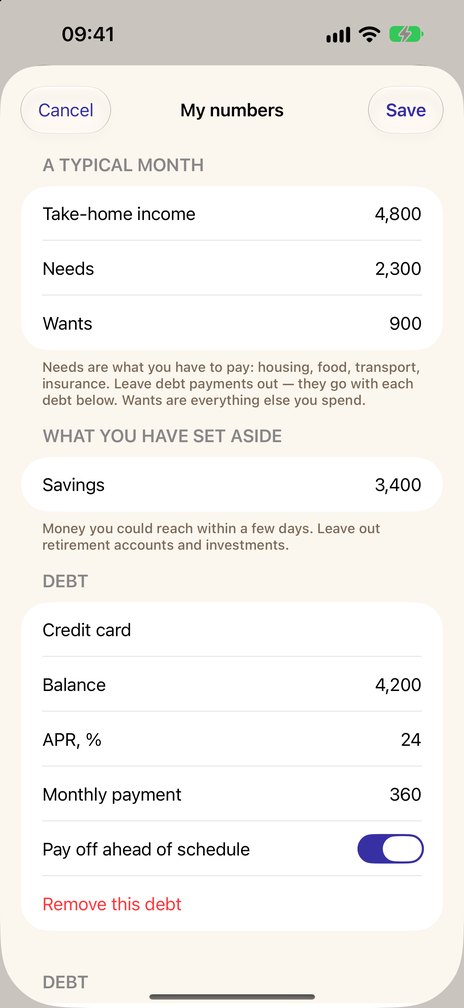
- Type in what you have set aside, a typical month (income, needs, wants) and what you owe.
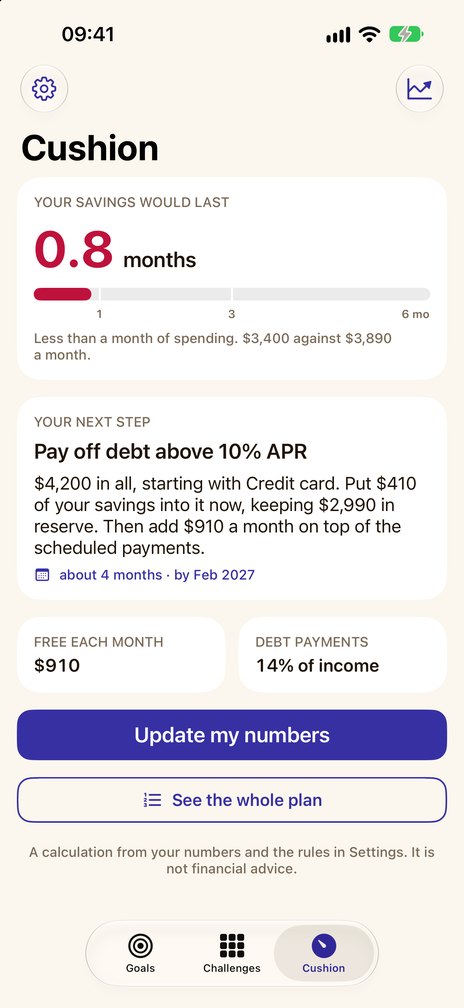
- See how many months of spending your savings would last: under a month, short of your target, or covered.
- One next step at a time, in a fixed order: first the month in the black, last the cushion you chose, from 1 to 12 months. When the step is a debt, it names the one to start with.
- What is left free each month, and what your debts take.
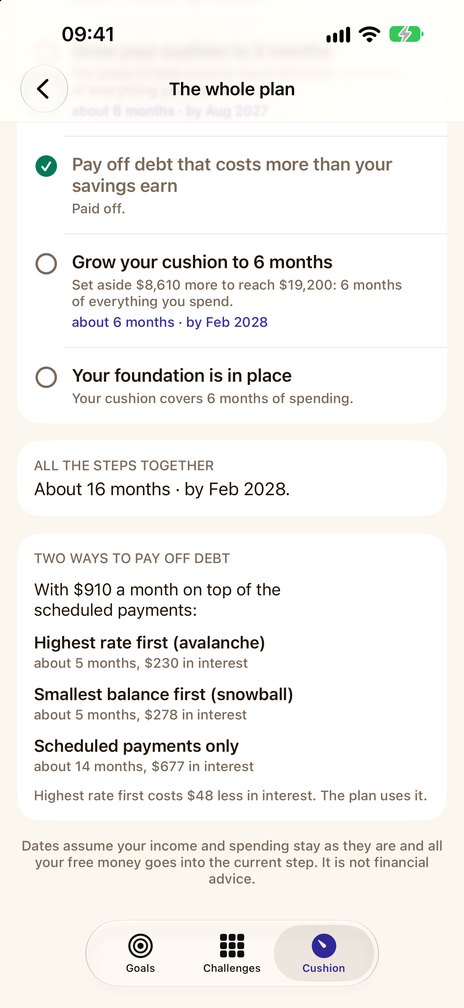
- The rules of the plan are listed on a screen of their own, each with its source or marked as an assumption; the sources are US ones.
- A monthly reminder to bring your numbers up to date. Reminders are set again each time you open Pennyjar, and they arrive only if notifications are allowed.
- Cushion to goal. When your next step is to set money aside for your cushion, one tap starts an “Emergency fund” goal on the Goals tab with the amount filled in.
What it looks like
Free, and what Pro adds
The Cushion is one of the three parts of Pennyjar, and Pennyjar Pro is one purchase for all of them.
Free
- In the Cushion: your numbers, the months your savings would last, your next step and what is left free each month
- Two goals or jars and one challenge at a time, with everything above
Pennyjar Pro — one payment, no subscription
- Cushion: the whole plan, step by step with dates; with two or more debts and money left free each month, avalanche and snowball compared on your own debts; the history of your runway
- Goals and jars: as many as you like at the same time
- Challenges: several at the same time, and custom challenges of 2 to 156 weeks with your own amounts
- CSV export of every goal deposit and withdrawal, and of every challenge deposit
Coming soon to the App Store
What it leaves out
- Interest on your savings and taxes. The plans leave them out.
- Your lender's own schedule. The calculators on this page add interest on a debt once a month at the APR divided by twelve, so a lender's own schedule can differ from this one.
- Anything you do not type. Pennyjar has no link to a bank; it knows only the numbers you give it.
- Advice. It is a calculation from your numbers and rules you can read, not financial advice, and it says nothing about investing. The rules cite US sources.
No account, no ads. Your goals, challenges and numbers stay on your device; purchases go through the App Store and are verified by RevenueCat — see the privacy policy.
The same arithmetic, in your browser
These calculators use the rules and arithmetic of the Cushion part of Pennyjar on numbers you type. The calculation runs in your browser, and the page does not send what you type anywhere.
- Emergency fund calculatoryour runway, and what 1, 3 and 6 months of spending come to
- How long will my savings last?months, and the month the money runs out
- Debt payoff calculatorthree ways to pay, month by month, as a table or CSV
- Snowball vs avalanchemonths and interest for each, side by side
- Which debt first, or save first?the whole ladder for your numbers
On paper, or in a spreadsheet
Free downloads that need only a printer or a spreadsheet program. They are not part of the app.
The other two parts of Pennyjar
- Pennyjar: the whole appGoals, Challenges and Cushion, one record and one purchase
- Savings goal calculatorGoals part: how much to put aside each week or month
- Sinking fundsGoals part: what each fund needs per month or paycheck
- 52-week money challengeChallenges part: a printable chart for any starting amount
Last reviewed 8 October 2026